How to hide your location on Snapchat without Ghost Mode
Ghost Mode hides you, but it hides you visibly: your Bitmoji disappears from the Snap Map, and anyone who looks notices you are gone. The quieter move is to stay on the map at a location you choose, so nothing looks missing. Here is exactly how to do that.
Why Ghost Mode is more obvious than it looks
Ghost Mode does not send anyone a notification, so people assume it is invisible. It is not. The moment you turn it on, your Bitmoji disappears from the Snap Map, and that absence is the tell:
- A friend who is used to seeing you on the map opens it and you are simply not there. For a close friend or a partner, “why did you go Ghost?” is the obvious next question.
- Going Ghost right when you said you would be somewhere lines the timing up perfectly, which makes it look deliberate.
- Ghost Mode is all-or-nothing for the people who can see you. You cannot look like you are at home while actually being out, you can only vanish.
So the goal is not to disappear. The goal is to stay on the map, looking completely normal, at a place you chose.
What the Snap Map shows your friends
Before you hide anything, it helps to know what friends can see on the Snap Map:
- Your Bitmoji on the map at your last reported location
- A recency label, from “Just now” to “8h ago,” tied to the last time you opened Snapchat
- Sometimes a status like driving or at a venue, plus any Map activity you share
- Whether your Bitmoji is on the map at all (visible vs. Ghost)
The key detail: when Snap Map updates depends on the location permission you gave Snapchat. On While Using, it updates only while Snapchat is open, so you set the location first, then open the app. On Always, it can update in the background too, so set it before you need it and leave it set.
The stealth method: stay visible, change the location
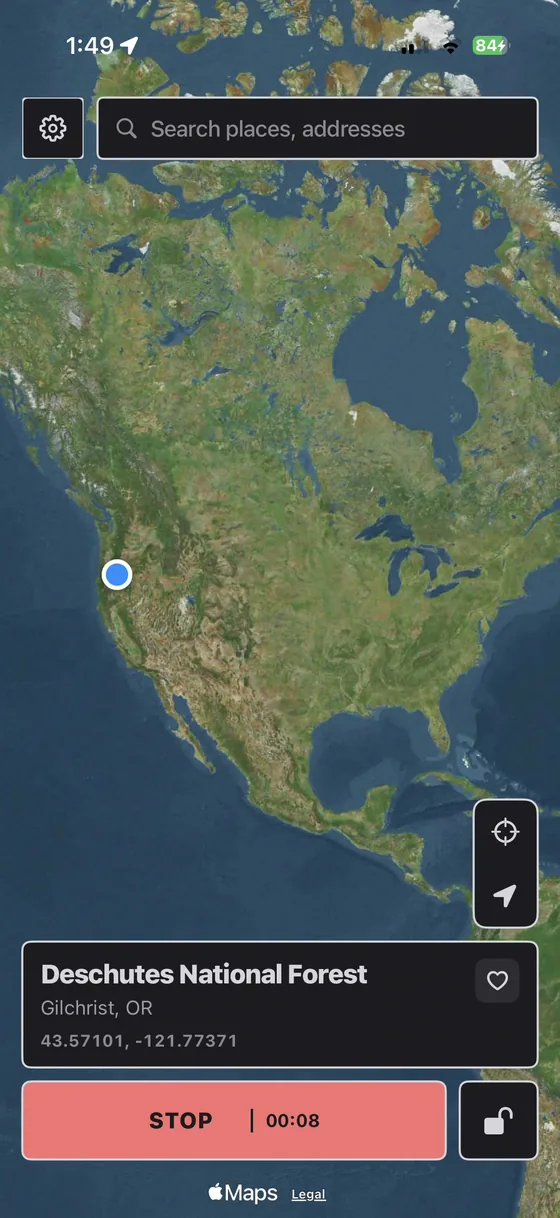
Instead of going Ghost, you change the GPS location your iPhone reports to iOS. Snapchat reads that location like any other app, so your Bitmoji stays on the map, just at the place you picked. This is what a location spoofer does, and PinDrift does it cleanly: it changes the location at the source, from your computer or from the PinDrift iPhone app, with no jailbreak and no change to iOS itself.
Because Ghost Mode never turns on, nobody sees you vanish. Your Bitmoji is right where it always is on the map, sitting on a believable spot, updating the next time you open the app.
Step by step
- Install PinDrift on your PC or Mac. Windows 10/11 or macOS 13+. It can install the PinDrift iPhone app, with 30 free minutes a day, no card and no account.
- Plug your iPhone in once and pair. One USB pairing, then you can go fully wireless on your network.
- Leave Ghost Mode off. Do not open the Map settings to hide. Staying visible is the whole point.
- Drop a pin on a believable spot. Home, a coffee shop, the gym, anywhere you could plausibly be.
- Open Snapchat. The Snap Map refreshes your Bitmoji to that spot within a moment of the app being in the foreground.
- Add movement if you want. Draw a walking or driving route so you appear to move between real places instead of sitting on one dot.
Make it believable (this is the part people get wrong)
Hiding without getting caught is less about the tool and more about the story. A few rules:
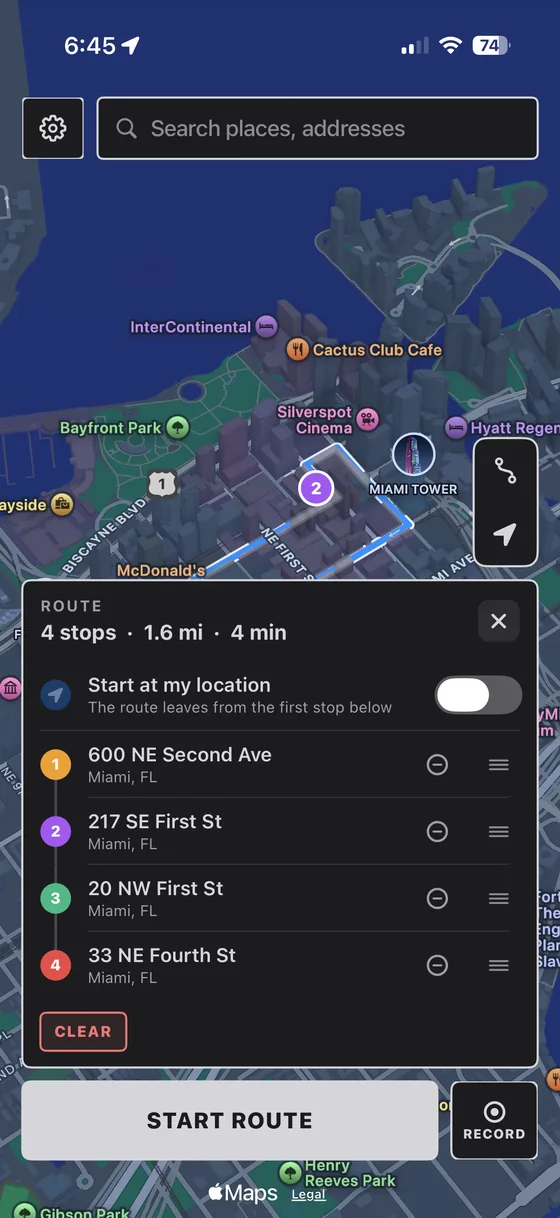
- Do not jump across the world between snaps. Two far-apart cities minutes apart is the pattern most likely to look wrong, to Snapchat or to a friend, so use a route for long moves.
- Set the spot before you open the app. Snap Map updates on open, so pick your location, then launch Snapchat.
- Match what you told people. If you said you are studying, pin the library, not a bar across town.
- Do not flip in and out of Ghost Mode. Turning Ghost on and off repeatedly is its own pattern. Staying visible at a chosen spot is calmer and quieter.
- Mind the recency label. If your Bitmoji says “Just now” at a place across the country from where you were an hour ago, that gap is the tell. Move gradually.
Ghost Mode vs. changing your location
Ghost Mode is the right tool when you want to be off the map for everyone and you do not care that people can tell you went private, hiding from the whole friends list at once, for example. Changing your reported location is the right tool when you want to look normal, present on the map, at a believable place, with nobody prompted to ask why you disappeared. This guide is about the second one.
Will Snapchat detect it?
Snapchat reads the location iOS hands it, and PinDrift changes that location at the iOS level. We know of no app-side warning that trips, but Snapchat does not publish its checks and can change them, so treat that as where things stand rather than a promise. What looks wrong is movement nobody could make, so use a route for long moves instead of teleporting. And because your iPhone is never jailbroken and iOS itself is never modified, your iPhone stays stock and keeps getting updates.
PinDrift is a location-privacy tool for your own iPhone and your own accounts. Use it that way. See our acceptable use and disclaimer for the details.
Frequently asked questions
Does Snapchat tell friends when you turn on Ghost Mode?
No notification is sent, but your Bitmoji disappears from the Snap Map. Friends who check the map see that you are no longer there, and for some people that absence is a giveaway. Staying on the map at a believable location avoids it entirely.
Does Ghost Mode freeze your location on Snapchat?
No. Ghost Mode hides your location rather than freezing it: your Bitmoji disappears from your friends’ Snap Map instead of staying at your last spot. Nobody is notified, but anyone who looks can see you are gone.
Does Ghost Mode turn off location on Snapchat?
Not for the phone. Ghost Mode stops Snapchat sharing your location with friends on the Snap Map, but Snapchat can still use location for its own features if you allowed it, and other apps are unaffected. To stop Snapchat reading your location at all, set it to Never in Settings, Privacy & Security, Location Services.
Can I show a different location on Snapchat without Ghost Mode?
Yes. PinDrift changes the GPS location your iPhone reports, so the next time you open Snapchat your Bitmoji appears at the place you picked. Ghost Mode stays off and you stay visible on the map, just somewhere else.
When does Snapchat update my location on the map?
It depends on the permission you gave Snapchat. On While Using, the Snap Map updates while Snapchat is open. On Always, it can also update in the background. Either way, set your location before you open the app, and on Always leave it set.
Can Snapchat detect a fake location?
Snapchat reads the location iOS gives it, and on a stock iPhone there is no flag marking it as simulated. Snapchat does not publish how it checks, so nobody can promise it never will. Impossible movement, like crossing continents in seconds, is what looks wrong, so use a route for long moves.
Does this need a jailbreak?
No. PinDrift works through Apple’s Developer Mode on a stock iPhone, either from your Windows PC or Mac, which installs nothing on the phone, or from the PinDrift iPhone app, an ordinary app you can delete. Nothing is jailbroken, so it stays fully stock.
Try PinDrift
30 free minutes a day on the PinDrift iPhone app, no card, no account. $9 a month, $60 a year, or $70 once.
Download PinDrift $9/mo, $60/yr, or $70 once