Can apps detect location spoofing on iPhone?
Usually not the spoof itself. What they catch is a story that does not add up, and there are only about five ways that happens.
Ask this question anywhere and you get two confident answers, both wrong. One says iPhone spoofing is undetectable. The other says Life360 has some clever system that catches everyone. Neither is what is actually happening, and the truth is more useful than either.
Here is the honest shape of it: on a stock iPhone, apps almost never detect the spoof itself. What they detect is a story that does not add up. Understanding the difference is the whole thing, because one of those you cannot control and the other one you entirely can.
What an app actually receives
An app on your iPhone does not read the GPS chip. It asks iOS for a location, and iOS hands back a CLLocation1 object: latitude, longitude, an accuracy radius, a timestamp, and sometimes altitude, course and speed. That is the entire surface. There is no field in there that says where the number came from, and no way for a third-party app to reach past iOS and interrogate the hardware directly, because Apple does not expose that to apps at all.
This matters more than anything else on this page. When a location is simulated through Apple’s own developer pathway, iOS fills in that same structure and hands it over through the same API that a real fix arrives on. From inside the app, the two are the same shape.
The Android comparison people keep making
A lot of the "spoofing is always detected" advice on the internet is Android advice wearing an iPhone costume.
Android has a mock location system. When an app supplies a fake fix, the platform flags it, and any app can ask the Location object itself2 whether the fix was mocked, via Location.isMock(), or isFromMockProvider() on anything older (Android deprecated the older name at API 317), and get a straight yes or no. Detection there is a single method call.
iOS has no equivalent. There is no public API that reports whether a fix was simulated, which is why detection on iPhone cannot be a lookup and has to be inference. An app is reduced to comparing your reported location against everything else it can see and deciding whether the combination is plausible.
Worth knowing: this is also why the "you need a jailbreak" claim keeps circulating. Historically you did. Apple added Developer Mode in iOS 163 and simulated locations ride on that now, which is why a modern tool works on a completely stock phone.
What the apps compare you against
If they cannot ask, they corroborate. Your phone is constantly producing evidence about where it is, and only one strand of it is GPS:
- Wi-Fi networks in range. The set of network names and MAC addresses around you maps to a physical place with startling precision, and Apple says plainly that iOS uses Wi-Fi hotspots and cell towers to work out where a device is4. If your GPS says Chicago while the routers around you are a known set in Dallas, that is a contradiction, and it is the single most common cross-check.
- Cell towers. Coarser than Wi-Fi, but the tower your phone is registered to has a fixed location and a limited range.
- Your IP address. Rough, easily explained by a VPN, and still a data point.
- Motion and step count.5 iPhones count steps on a dedicated motion coprocessor separate from GPS. An app with motion permission can see that you apparently walked two miles while the pedometer recorded ninety steps.
- Timezone and device settings. Small, but they are there.
None of these individually proves anything. A VPN explains an IP. A dead battery explains a gap. Being in a basement explains poor accuracy. The risk is in the pattern, not any single item.
The five things that actually give people away
In practice it is almost never the spoof. It is one of these.
1. Impossible travel
You are downtown, then eleven miles away four seconds later. Nothing about either fix looks wrong on its own. The sequence is what is impossible, and this is the easiest thing in the world to check automatically.
2. Speed that does not match the road
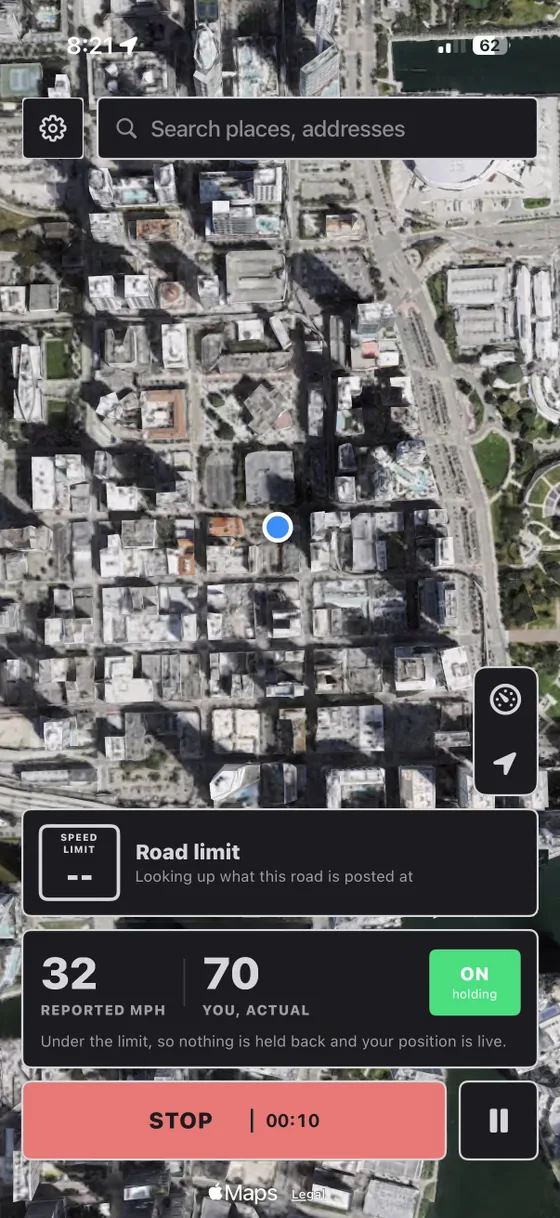
A drive logged at a steady 78mph through a residential street reads as fake to a human being long before it trips anything automated. Real driving is not steady. It stops at lights, slows for turns, sits in traffic.
3. A location the network contradicts
Your reported position is in another state while your Wi-Fi, your cell tower and your timezone all disagree. Any one of those is weak. All of them together is a pattern, and it is the cross-check most likely to be running.
4. Being too perfect
Real GPS drifts. It wobbles a few metres while you sit completely still, loses accuracy indoors, and takes a moment to settle after you move. A position pinned to eight decimal places that has not moved a centimetre in nine hours is its own kind of tell, and it is the one people almost never think about.
5. A person, not an algorithm
This is the big one, and it is not technical at all. The most common way anybody gets caught is that someone who knows them looked at the map and knew they were not there. No detection system was involved. Somebody just noticed.
Life360, Find My and Snapchat, specifically
| App | What it plots | What makes it harder |
|---|---|---|
| Find My | The location iOS gives it, to Apple’s servers | Very little. Apple publishes no spoof signal to the people you share with. |
| Life360 | Position, plus full drive reports | Drive detection. Start and end times, top speed, hard braking and phone use turn a route into a document.6 |
| Snapchat | Position while the app is open, and in the background if you allowed Always | Little. Closer to Find My than to Life360. |
Life360 is the one worth understanding properly. It does not just plot a pin. It builds a drive report: when the drive started, when it ended, top speed, hard braking, whether the phone was handled. That means a spoofed route is not judged as a series of positions, it is judged as a journey, and a journey has to make sense end to end. This is why teleporting produces something that looks wrong even when no individual coordinate does.
Find My is the simplest case. It reports what iOS gives it. Apple does not hand your family a "this looks simulated" badge.
Snapchat behaves much more like Find My than like Life360, but exactly when it updates depends on the permission you gave it: on "Only while using" the Map stops at the last position you had while the app was open, and on "Always" it keeps updating in the background (Snap documents both8).
None of the three publishes its detection logic, and anyone who tells you they know exactly how these systems score a location is guessing. What is safe to say is the shape of the problem.
Where we will not promise you anything
We build a location spoofer. Read this section twice.
We cannot promise you will never be caught, and you should not trust anybody in this category who does. Detection is not a wall you either clear or hit. It is a set of judgements that these companies revise whenever they like, without telling anybody, and a technique that works today can quietly stop working after an update nobody announced.
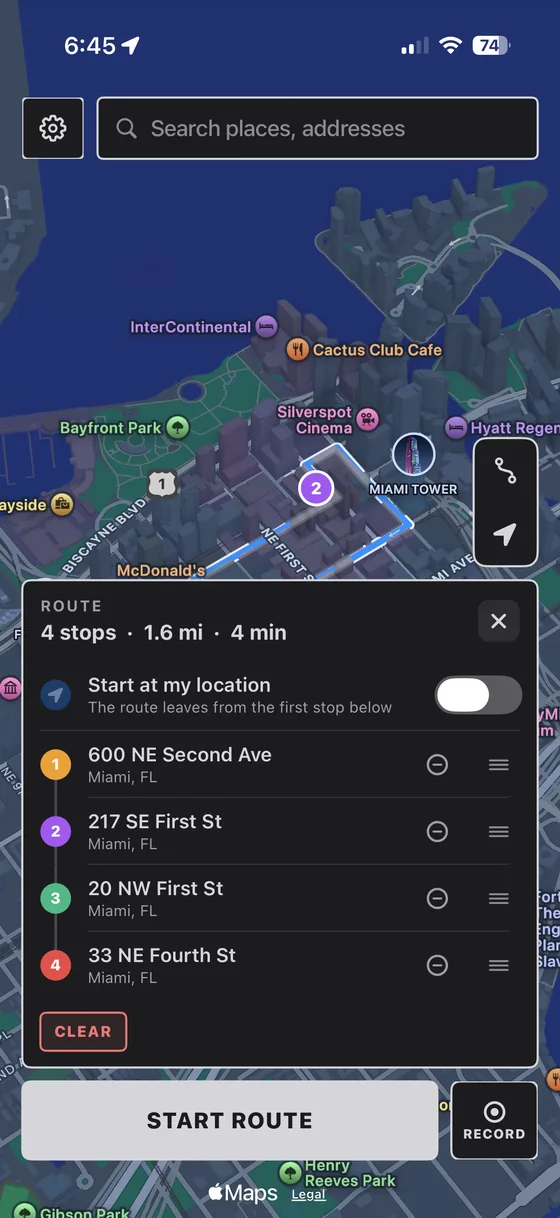
What we can tell you is where the risk actually sits. It is almost never the spoof. It is a route that moves the way no real journey moves, and it is other people noticing. That is the part you control, and it is why our route tools let you set a genuine walking, cycling or driving speed instead of dragging a pin across a map, and why Anti-Speed exists at all.
If you take one thing away: stop thinking about whether the fix can be detected, and start thinking about whether the journey makes sense. That is what is being judged.
Frequently asked questions
Can Life360 detect a fake GPS location?
Life360 does not publish a detection method, and on a stock iPhone there is no iOS flag marking a location as simulated. What it can do is cross-check: your reported position against nearby Wi-Fi networks, cell towers and your phone’s motion data, plus the drive reports it builds with start times, end times and top speed. A route that teleports or holds an impossible speed is far more likely to look wrong than any single pin.
Does Find My know if you fake your location?
Find My reports whatever location iOS hands it, and Apple does not surface any spoof indicator to the people you share with. Your circle sees the location your phone reported. That is not the same as being undetectable, it just means the detection is not coming from Find My itself.
Is location spoofing easier to detect on Android than iPhone?
Yes, considerably. Android exposes isMock() (isFromMockProvider() before API 31), so any app can simply ask whether a fix came from a mock provider and get a straight answer. iOS has no public equivalent, which is why detection on iPhone is inference rather than a lookup.
How can you tell if someone is faking their location?
The reliable signs are behavioural: a position that jumps further than anyone could travel between two updates, a location pinned to the same coordinates for hours without the few metres of drift real GPS always shows, a drive logged at a speed that does not match the road, and a location that contradicts their timezone or the network they are obviously on.
Can a spoofed location be detected by step count?
It can contribute. iPhones count steps on a separate motion coprocessor, and an app with motion permission can notice that you apparently walked two miles while the pedometer recorded almost nothing. On its own it proves little. Combined with the other signals it is another thing that does not add up.
Can PinDrift guarantee I will not be detected?
No, and we will not claim otherwise. Detection is a set of judgements these companies can change whenever they like without announcing it. What we can do is make the movement itself realistic, which is where the real risk sits.
Realistic movement, not a dragged pin
PinDrift moves along a route you draw at a walking, cycling or driving speed, and Anti-Speed holds a reported drive at the limit. 30 free minutes a day on the iPhone app, no card, no account.
Download PinDrift $9/mo, $60/yr, or $70 onceSources
Primary documentation for the claims above, checked on 30 August 2026. Where a vendor documents its own behaviour we have cited the vendor rather than a summary of it.
- CLLocation, Apple Developer Documentation. The fields an app receives: coordinate, horizontal and vertical accuracy, timestamp, altitude, course and speed. There is no field describing the origin of the fix.
- Location, Android API reference. The mock-location flag Android exposes and iOS does not.
- Enabling Developer Mode on a device, Apple Developer Documentation. Developer Mode arrived in iOS 16, which is why simulated locations no longer need a jailbreak.
- Location Services & Privacy, Apple Support. Apple's own description of using GPS, Bluetooth, crowd-sourced Wi-Fi hotspots and cell towers to determine a device's location.
- CMPedometer, Apple Developer Documentation. Step and distance data, recorded separately from location.
- Drive Detection & Analysis and Individual Driver Reports, Life360 Support. What a drive report contains: top speed, hard braking, rapid acceleration and phone use.
- API differences, Android 30 to 31: android.location.Location. Where
isFromMockProvider()was deprecated in favour ofisMock(). - How do I share my location on Snap Map?, Snapchat Support. Why "only while using" and "always" behave differently.
We do not cite Life360's, Snap's or Apple's detection logic, because none of them publish it. Nothing on this page claims to know how any of them scores a location.