An iOS location spoofer that is the same app on Mac and Windows
An iOS location spoofer that does the same thing on Mac and Windows, with the same features, same UI, same price. Most tools force you into one platform or the other. This one doesn't.
Short answer
The same app runs on both Windows 10 22H2 or newer and macOS 13 Ventura or newer, at the same price, with the same features. You pair the iPhone over USB once, then work wirelessly on your own network. It controls iPhones on iOS 17 or later with Developer Mode turned on, and requires no jailbreak.
Same app on Mac and Windows. Same features. Same price. No platform tax.
Why platform parity matters
Most iOS spoofers play favorites. They put the good stuff on Mac and leave Windows as the cheap seat (or the other way around). Wireless mode? Mac only. Even the trial works differently on each side.
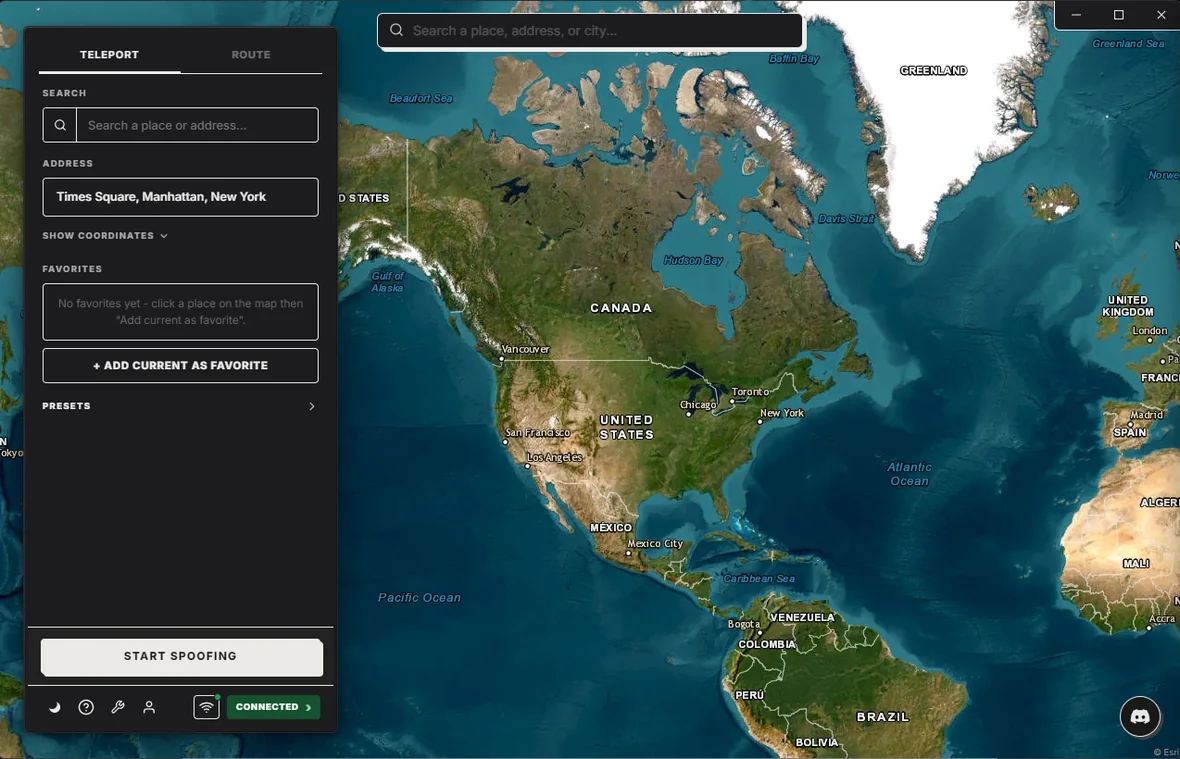
PinDrift is the same app on both. Same map. Same Favorites. Same wireless mode after the first cable pairing. Same routes. Same licence key, which activates on either platform, though only one host computer is active at a time and moving between them is a transfer with a 180-day cooldown.
Setup is the same on both
Three steps, whichever computer you're on:
- Download PinDrift from the home page and open the installer. Mac gets a .pkg, Windows gets an .exe.
- Plug in your iPhone with a data cable and tap "Trust" when the phone asks.
- Click "Reveal Developer Mode" in PinDrift, then turn that switch on in iPhone Settings under Privacy & Security. Phone reboots once. Done.
On Windows, Microsoft's SmartScreen may show a one-time warning the first few thousand downloads. Click "More info, Run anyway". After that Windows remembers your choice.
The Windows installer is not code-signed yet, so SmartScreen may warn until Microsoft's reputation system catches up on a small independent app. A warning is not proof the file is safe: only download PinDrift from pindrift.app and verify the installer against the published SHA-256 checksum before you run it. Then click "More info", then "Run anyway".
What it does
Pick a spot on the world map, click Spoof, and your iPhone is suddenly there. Find My, Snap Map, Pokemon Go, Tinder, Apple Maps, weather apps, dating apps, all see the new location as the real one.
Replay a real walk or drive with route mode. Save Favorites. After the first cable pairing, the phone goes wireless on the same Wi-Fi network so you can carry it around the house with nothing plugged in.
None of that is locked to one platform. If it's a feature, it's on both.
Pricing
Same prices on both. One license activates both.
$9/mo · $60/yr · $70 Lifetime · A True Free Trial · all future updates included, forever.
The trial is the full app. No card, no signup.
Frequently asked questions
Do I pay twice for both?
No, you do not pay twice. One licence covers both Mac and Windows and the same key activates on either, but only one host computer is active at a time. Moving to a different machine is a licence transfer, and transfers carry a 180-day cooldown, so a Mac at home and a PC at the office is a swap rather than both at once.
Same features on both OS?
Yes. Same map, same wireless mode, same routes, same Favorites and presets, same GPX import. If you see a PinDrift feature mentioned anywhere on this site, it works on both.
Apple Silicon?
Yes. PinDrift runs natively on M1, M2, M3, and M4 Macs as well as Intel Macs. No Rosetta needed.
Old Mac OK?
Any Mac running macOS 13 (Ventura) or newer is fine. The iPhone's connection to the computer is the bottleneck, not your CPU.
Try PinDrift
A real free trial: no card, no account. $9 a month, $60 a year, or $70 once.
Download PinDrift $9/mo, $60/yr, or $70 onceKeep reading
- How faking GPS on an iPhone actually works
- The seven tools, ranked
- iPhone location spoofer (2026)The plain-English overview.
- Change iPhone location without jailbreakThe Developer Mode path, end to end.
- GPS spoofer for iOSHow the underlying spoof actually works.
- USB & Wi-Fi spoofingThe cable and how wireless takes over.