Does a VPN change your GPS location?
No. A VPN moves your IP address. Your phone keeps reporting the same coordinates it always did, and most of the confusion comes from apps that use one, the other, or both.
This is probably the most common misunderstanding in the whole topic, and it is an easy one to fall into because the two things look identical from the outside. You connect to a VPN server in another country, a website greets you in another language, and it certainly feels like your location changed.
It did not. What changed is which door your internet traffic came out of.
A VPN works on network traffic, and GPS is not network traffic. No setting, server or provider reaches the part of your phone that decides where it is.
Two completely separate systems
Your phone answers the question "where am I" in two unrelated ways, and almost every confusing result comes from not knowing which one an app used.
Your IP address is assigned by whichever network is carrying your traffic. Databases map IP ranges to rough geography, usually a city, sometimes only a country. This is what a VPN changes. It is also frequently wrong even without a VPN, which is why a website occasionally decides you are two states away.
Core Location is the iOS service an app talks to when it asks for your position. It combines GPS satellites, nearby Wi-Fi networks, cell towers and the phone’s own motion sensors, and returns coordinates with an accuracy radius. A VPN cannot reach this. It is not on the network path at all.
The two are not layered on top of one another. Core Location has finished its job before the tunnel is involved, and it never asks the tunnel anything.
Wi-Fi lookup is not the loophole
Anyone who knows a little about Core Location tends to spot what looks like a gap here. It does not only listen to satellites. Indoors, or in a city where most of the sky is buildings, it leans hard on a lookup: the phone notes which wireless networks it can see and asks Apple what physical place that set of networks corresponds to. That is a network request, and network requests go through the VPN. So surely the VPN gets a say.
It does not, and the reason is the useful part. The lookup is keyed on the routers around you, not on where the question arrived from. The phone is asking which place contains these specific access points, and the answer is the same whether the query exited in Ohio or Amsterdam. Changing the return address on an envelope does not move the envelope.
We have not verified whether iOS sends those lookups inside the tunnel or around it, and we are not going to guess. It makes no difference here: the answer comes back identical either way.
Which one is an app using?
You can usually tell from what it asked you for.
- It never asked permission. Then it is using your IP address, because Core Location requires an explicit prompt. Streaming catalogues, store fronts and "we think you are in..." banners are almost always IP.
- It showed the blue location prompt. Then it is using Core Location, and your VPN is irrelevant to it.
- Both. More things do this than you would expect, and this is where a VPN alone actively hurts.
There is a ten second version of the test. Turn the VPN on, pick the furthest server it offers, then open Apple Maps and tap the button that centres the map on you. It centres on you, with the same accuracy circle it always draws. Now open any site that reports your IP and watch it place you in another country. Both readings are correct. They answer different questions.
What a VPN does change
None of this makes a VPN pointless. It is a tool for a different job, and the job is worth naming, because "does a VPN change my location" is a flat no while "does a VPN change what a website concludes about me" is often yes.
- Anything that geolocates from IP. Streaming catalogues, regional store fronts, prices that vary by country. A VPN is the right tool for those.
- What the network you are sitting on can see. Coffee shop Wi-Fi sees an encrypted tunnel rather than a list of the places you went.
- Casual IP-based tracking. Your real IP is one of the identifiers that follows you between sites, and a VPN swaps it for a shared one.
Find My, Life360 and Snapchat see nothing different
This is the version of the question most people are really asking, so here it is without hedging. All three read Core Location. They ask iOS for a position and plot whatever comes back, and a VPN takes no part in that exchange, so the map your family sees is unchanged down to the accuracy circle.
That holds regardless of how distant the server is, how many you chain, or which provider you pay. No VPN configuration quietly becomes a location change, because a VPN is nowhere near that path. What those apps can work out for themselves is a longer subject, covered in can apps detect location spoofing.
The mismatch a VPN creates
If a service checks both signals and they disagree, that disagreement is itself information. An IP address in Amsterdam paired with GPS coordinates in Ohio is not two weak signals, it is one clear contradiction, and it is exactly the pattern fraud checks are built to notice.
This is worth sitting with, because the popular advice has it backwards. A VPN does not make your location harder to determine. Used on its own, it can make your real location more conspicuous, by introducing a conflict that would not otherwise exist.
How much that matters depends on who is looking. A family tracker is not running fraud checks, it just plots the pin. A bank or a marketplace may well be checking, and that is where a VPN on its own attracts attention rather than deflecting it.
The trap works in reverse too. Change the coordinates iOS reports and leave your traffic exiting from your real city, and you have built the mirror image of the same contradiction. Whether anything notices depends on whether anything is checking both, which is not published and does change.
Other things that also do not move GPS
This misunderstanding travels in a group. None of these changes the coordinates either.
- Changing your region in Settings. That changes which App Store you shop in and some formatting defaults. Core Location never reads it.
- A proxy or Smart DNS. Same family as a VPN, same ceiling. They move traffic, not coordinates.
- iCloud Private Relay. It hides your IP from the sites you browse in Safari and hands them a broad regional one instead. That is an IP measure, and Core Location is untouched by it.
- Airplane Mode. It stops your phone reporting, which is a different outcome from reporting somewhere else: does Airplane Mode hide your location.
- Turning Location Services off. It removes the answer rather than replacing it, and on somebody else's map a person who has gone dark is conspicuous.
What actually changes GPS
Changing the coordinates themselves means changing what iOS hands to apps. On iPhone that runs through Apple’s own developer pathway, using Developer Mode, which Apple added in iOS 16. No jailbreak, nothing removed from the phone.
The difference is mechanical rather than a matter of degree. A VPN sits between your phone and the internet. A simulated location sits between Core Location and the app, upstream of the network entirely, which is why one of them can move the pin in Find My and the other cannot, however much you pay for it. The full set of methods, and what each is good for, is in every method for changing your iPhone location.
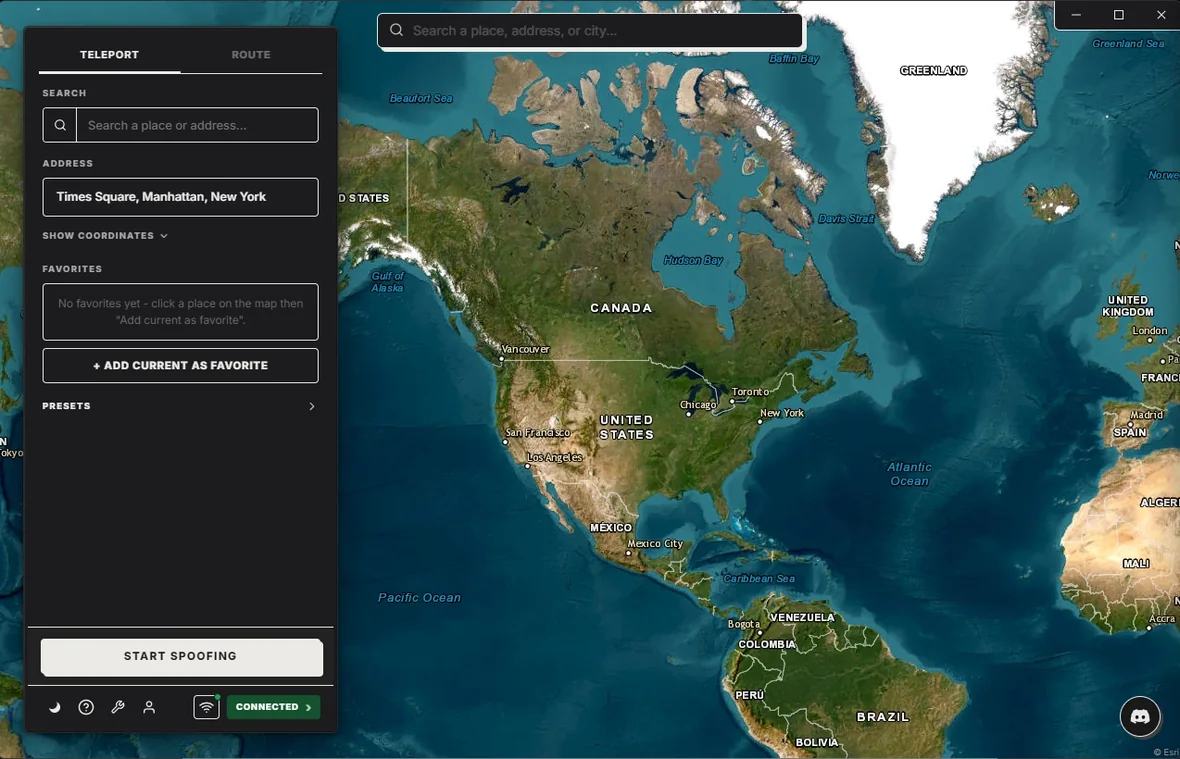
Whether you also want a VPN depends entirely on what the app checks. If it only reads Core Location, a VPN adds nothing. If it reads both, they need to agree. We are not going to tell you which apps do which, because it changes without notice and anybody publishing a definitive list is guessing.
The short answer: a VPN changes where your traffic appears to come from. A location simulator changes where your phone says it is. They solve different problems, and neither one substitutes for the other.
Frequently asked questions
Does a VPN change your GPS location?
No. A VPN routes your internet traffic through a server elsewhere, which changes the IP address a service sees. It does not touch Core Location, so the coordinates your phone reports are unchanged.
Why does a website think I am in another country when I use a VPN?
Because websites usually geolocate from your IP address, which the VPN has changed. That is a different signal from GPS. An app that asks iOS for your location gets your real one regardless of the VPN.
Can a VPN and GPS disagree?
Yes, and that mismatch is one of the things fraud checks look for. An IP in Amsterdam with GPS coordinates in Ohio is a contradiction, and using a VPN on its own can create it.
What do I need to change GPS instead?
Something that changes what iOS reports, rather than where your traffic exits. On iPhone that means a simulated location through Apple’s developer pathway, which is what PinDrift does.
Should I use both?
It depends what you are trying to do. If an app checks both, they need to agree. If it only checks one, only that one matters. There is no universal answer and anybody who gives you one is guessing.
Try PinDrift
30 free minutes a day on the PinDrift iPhone app, no card, no account. $9 a month, $60 a year, or $70 once.
Download PinDrift $9/mo, $60/yr, or $70 once