PinDrift compatibility and requirements
Everything PinDrift supports in one place: which computers run the host application, which iPhones and iOS versions it controls, how devices connect, and the license limits that apply.
PinDrift runs on Windows 10 (22H2) or Windows 11 and on macOS 13 (Ventura) or newer, and controls an iPhone on iOS 17 or later over a USB developer pairing. There is no jailbreak and iOS itself is never modified. Spoofing from the desktop installs nothing on the phone. The PinDrift iPhone app, included with every paid plan, is a normal app installed on the phone so it can hold and move its own location without the computer, and you can delete it like any other app. iPad is not supported. Android is, through the standalone PinDrift for Android app.
Host computer support
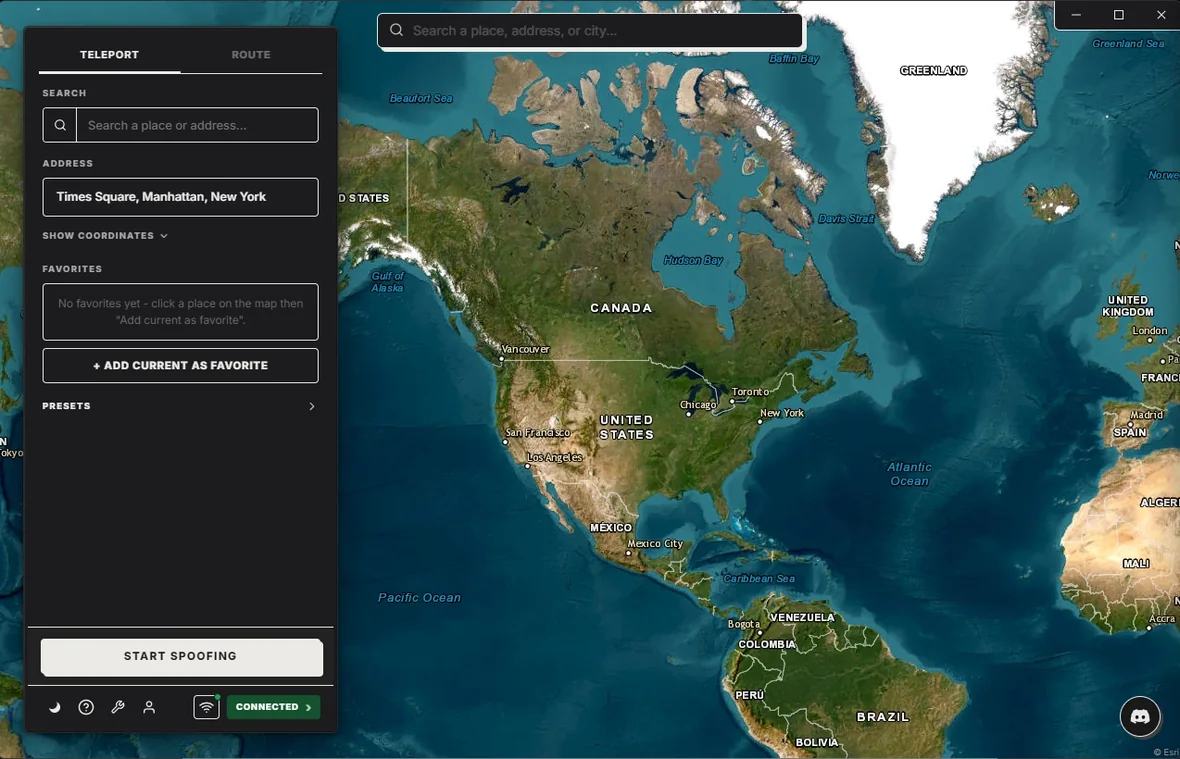
PinDrift is a desktop application. You run it on a Windows PC or a Mac, and your iPhone pairs to that computer. The iPhone app is included with every paid plan, so once it is installed the phone holds the location on its own and the computer does not have to stay on.
| Platform | Supported versions | Notes |
|---|---|---|
| Windows | Windows 10 (22H2) and Windows 11 | 64-bit only. Installer requires administrator rights for USB drivers. |
| macOS | macOS 13 (Ventura) or newer | Universal build for Apple Silicon and Intel Macs. |
iPhone and iOS support
PinDrift controls iPhone. It supports iOS 17 and later, and Developer Mode has to be turned on. Apple introduced Developer Mode in iOS 16 as a security gate; PinDrift requires iOS 17 or later, where that framework is available and stable for this use. iPad is not supported.
| Item | Detail |
|---|---|
| Minimum iOS | iOS 17 |
| Supported iOS | iOS 17, iOS 18 and iOS 26, including point releases |
| Last formal compatibility pass | iOS 17.5, iOS 18.1, iOS 18.4 |
| Last compatibility check | June 20, 2026 |
| Developer Mode | Required (added by Apple in iOS 16) |
| Jailbreak | Not required. iOS is never modified |
| Installed on the phone | Nothing, for desktop-driven spoofing. The optional PinDrift iPhone app is a normal, deletable app |
| iPad | Not supported |
New iOS releases can change low-level behavior, so a version newer than the ones listed above may work before we have formally re-tested it. When a new major iOS version ships, we re-check compatibility and update this page.
How devices connect
Every iPhone pairs to the host once over USB. After that first pairing you have three ways to work:
- USB. The iPhone stays plugged into the host computer.
- Wi-Fi. Once paired, the iPhone can be on the same Wi-Fi network as the host, with no cable.
- Remote over Tailscale. The host and phone can be on different networks. Tailscale is a separate third-party product you set up yourself; PinDrift does not include it and does not change your IP-based location.
Device and license limits
One PinDrift license covers one active host computer at a time. You can move the license to a different computer, subject to a transfer cooldown.
| Limit | Value |
|---|---|
| Active host computers | 1 at a time |
| Host transfer cooldown | 180 days |
| Plans | Monthly $9 / Yearly $60 / Lifetime $70, plus a free trial with no card and no account |
Installer and verification
The current Windows installer is not code-signed, so Windows SmartScreen may show a warning the first time you run it. This is expected for a small independent app. Verify your download against the published SHA-256 checksum before installing, and see the SmartScreen note for the exact steps. The macOS build follows Apple's standard install flow.
Android status
PinDrift for Android is available. It is not part of the current shipping build, which controls iPhone only. If you see PinDrift described as controlling an Android phone today, that is not accurate for the version you can download now.
Frequently asked questions
Which iOS versions does PinDrift support?
PinDrift supports iPhone on iOS 17 and later, which today means iOS 17, 18 and 26. Those are the versions it is built and shipped for. Separately, the last formal compatibility pass covered iOS 17.5, 18.1 and 18.4 and was run on June 20, 2026, so it predates iOS 26. Developer Mode, which Apple introduced in iOS 16, must be turned on. iPad is not supported.
Does PinDrift run on Windows and Mac?
Yes. The host application runs on Windows 10 (22H2) or Windows 11 on 64-bit hardware, and on macOS 13 (Ventura) or newer as a universal build for both Apple Silicon and Intel Macs. You run PinDrift on the computer and pair your iPhone to it.
Do I need to jailbreak my iPhone?
No. PinDrift changes the location over a standard USB developer pairing. Driving the spoof from your computer installs nothing on the iPhone, and it is not jailbroken, so it stays stock and keeps receiving updates.
Is the Windows installer code-signed?
The current Windows installer is not code-signed, so SmartScreen may show a warning on first run. Verify your download against the published SHA-256 checksum at pindrift.app before installing.
Does PinDrift install anything on my iPhone?
Driving the spoof from the desktop app installs nothing on the phone: it uses a standard USB developer pairing. Every paid plan also includes the PinDrift iPhone app, which is installed on the phone so it can hold and move its own location without the computer. It is an ordinary app and you can delete it like any other. Either way there is no jailbreak and iOS itself is never modified.
Is Android supported?
Not yet. PinDrift for Android is a standalone app for Android 8.0 or newer. It installs on the phone itself and needs no computer.
Try PinDrift
A real free trial: no card, no account. $9 a month, $60 a year, or $70 once.
Download PinDrift $9/mo, $60/yr, or $70 once